Membership Auto-Renew Policy
About the Policy
Any new membership purchased will be automatically enrolled in auto-renew using the payment method provided at checkout. This applies to the following membership types:
- General Membership
- First Class Membership
- Online Membership
- Canadian Membership
- International Membership
- Business Membership
Gift memberships are excluded and will never auto-renew.
Manual Renewal Memberships
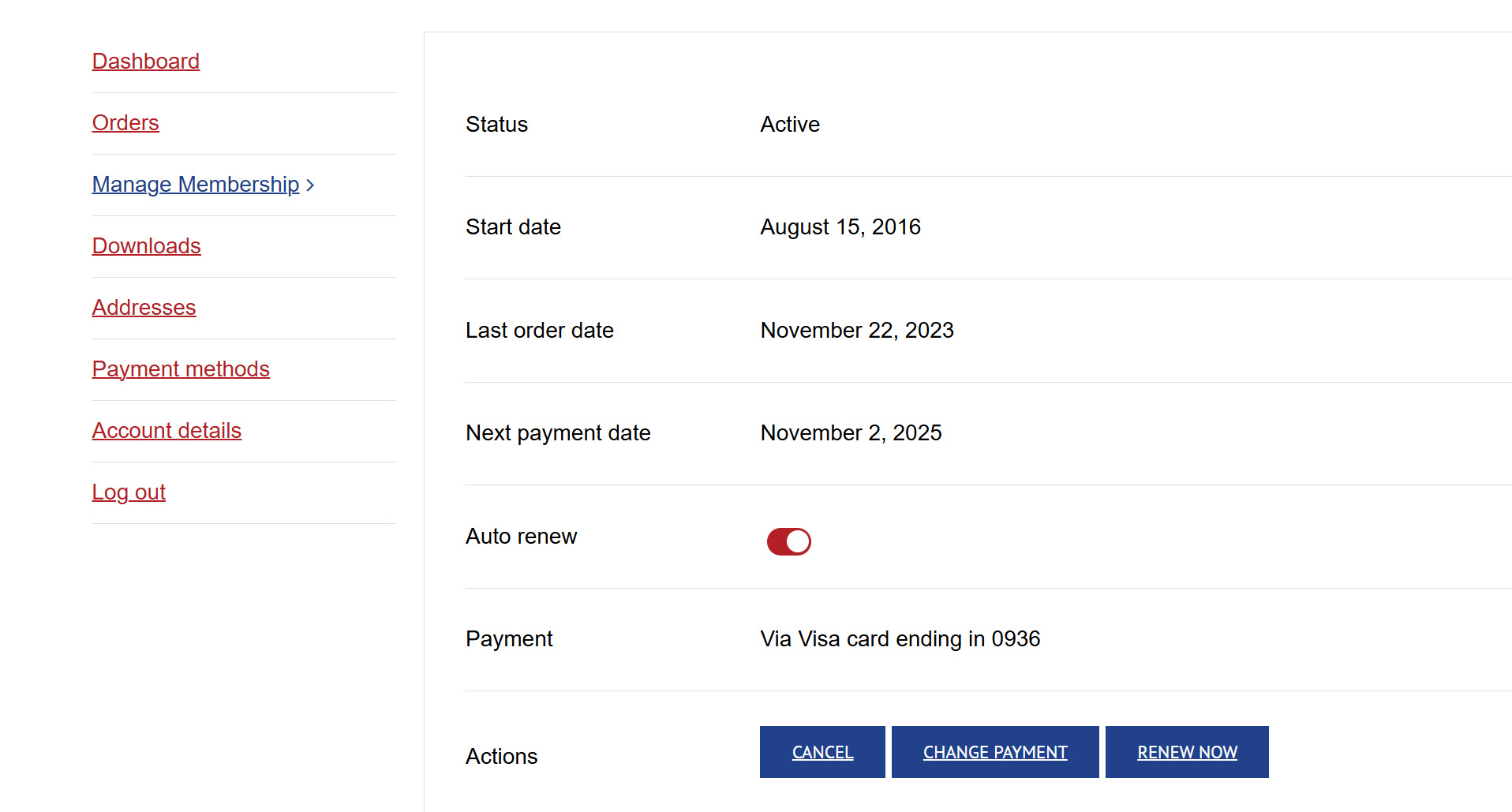
If you are renewing a membership currently set to manual renewal, it will remain manual even after payment. Auto-renew will not be activated unless you choose to turn it on. To switch to auto-renew, you must manually enable it by clicking the auto-renew button on your account page under “Manage Membership.”
Turning Off Auto-Renew
Don’t want your membership to auto-renew? No problem. Simply visit your account page and toggle off the auto-renew button under “Manage Membership.” Once turned off, the button will appear gray, confirming auto-renew is disabled. When your membership expires, you will receive an email invoice to renew manually.
Canceling Auto-Renew After Renewal
If a renewal charge has already been processed and you wish to cancel, contact Member Services within 14 days of the charge. We will issue a full refund if notified within this timeframe.
How to Manage Your Membership Settings
To control your renewal preferences:
- Log in to your account page.
- Navigate to “Manage Membership.”
- Toggle the red auto-renew button off (it will turn gray).
Have questions or need help? Reach out to Member Services for assistance.